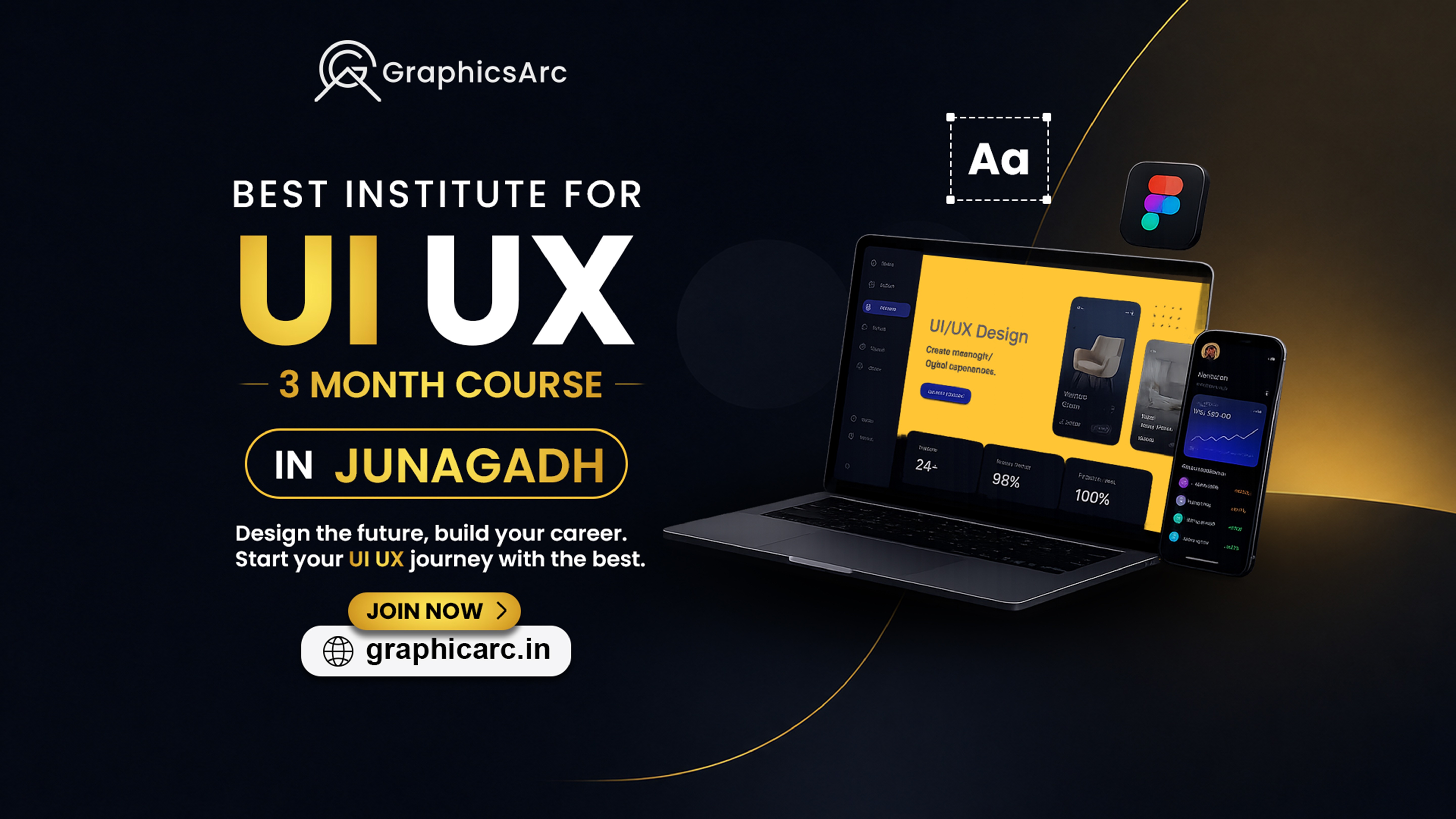
Best UI/UX Design Course in Junagadh – 3-Month Professional Training at Graphicarc
If you are looking for a UI/UX Design Course in Junagadh and want to turn your creativity into a practical career skill, Graphicarc offers a structured 3 month training program designed for beginners and aspiring designers.UI/UX design is about much more than making a website or mobile application look attractive. Good UI/UX design combines visual design, usability, user research, information structure, wireframing, prototyping, and problem-solving to create better digital experiences.At Graphicarc, students learn these concepts through practical exercises and project-based learning. The goal is to help learners understand how professional digital products are planned, designed, tested, and presented.Whether you are a student, graduate, freelancer, career changer, or someone simply interested in digital design, this course provides a structured starting point for learning UI/UX.
What Is UI/UX Design?
UI stands for User Interface, while UX stands for User Experience.
UI focuses on how a digital product looks and communicates visually. This includes:
- Layout
- Typography
- Colors
- Buttons
- Icons
- Spacing
- Visual hierarchy
- Components
UX focuses on how the product works and how easily users can accomplish their goals.
This includes:
- Understanding users
- Identifying problems
- User flows
- Information architecture
- Wireframes
- Usability
- Prototyping
- Testing
A good UI/UX designer brings both areas together to create digital experiences that are visually clear and easy to use.
Why Learn UI/UX Design in 2026?
Websites, mobile apps, SaaS platforms, e-commerce stores, dashboards, and digital services all depend on thoughtful user experiences.
Businesses need designers who can understand both creative design and user problems.
Learning UI/UX can help you develop skills for areas such as:
- Website design
- Mobile app design
- Dashboard design
- E-commerce design
- SaaS products
- Landing pages
- Design systems
- Prototypes
- Digital product design
However, learning a tool alone is not enough. A strong UI/UX foundation also requires design thinking, usability, problem-solving, and the ability to explain design decisions.
That is why practical learning is an important part of the Graphicarc approach.
UI/UX Design Course in Junagadh at Graphicarc
Graphicarc’s 3-month UI/UX Design Course in Junagadh is designed to take students from the fundamentals of interface design toward practical project work.
The course focuses on developing both creative and technical design skills.
Course Highlights
- 3-month structured training
- Beginner-friendly learning
- Practical UI/UX projects
- Figma-based design workflow
- Wireframing
- Prototyping
- Website UI design
- Mobile app UI design
- UX fundamentals
- Portfolio development
- Career guidance
What Will You Learn?
1. UI/UX Fundamentals
You’ll first understand the difference between UI and UX and how the two disciplines work together.
Topics include:
- UI design fundamentals
- UX design fundamentals
- Visual hierarchy
- Layout principles
- Typography
- Color
- Spacing
- Design consistency
2. Understanding Users
Good design starts with understanding the people who will use a product.
You’ll learn concepts such as:
- User needs
- User problems
- User goals
- Personas
- User journeys
- Basic research concepts
This helps you move beyond simply creating attractive screens.
3. Wireframing
Wireframes help designers plan a digital product before creating the final interface.
You’ll learn how to create:
- Website wireframes
- Mobile app wireframes
- User flows
- Page structures
- Navigation structures
Wireframing allows you to focus on functionality and structure before spending time on visual details.
4. Figma Training
Figma is an important part of modern UI design workflows.
During the course, students can learn practical concepts such as:
- Figma interface
- Frames
- Shapes
- Text
- Components
- Auto Layout
- Styles
- Assets
- Prototyping
- Collaboration
The goal is not simply to learn where tools are located, but to understand how they are used in a real design workflow.
5. Website UI Design
You’ll learn how to create modern website interfaces with attention to:
- Homepage layouts
- Navigation
- Hero sections
- Cards
- Forms
- Buttons
- Responsive layouts
- Landing pages
You’ll also learn how different elements work together to create a consistent interface.
6. Mobile App UI Design
Mobile applications require careful attention to screen size, navigation, usability, and interaction.
Students can practice designing:
- Login screens
- Signup screens
- Home screens
- Profile pages
- Product pages
- Dashboards
- Mobile navigation
7. Prototyping
A prototype helps demonstrate how an interface behaves before development begins.
You’ll learn how to create interactive prototypes and connect different screens to demonstrate user flows.
This can help you communicate your ideas to:
- Clients
- Developers
- Businesses
- Startup teams
- Interviewers
8. Design Systems
Professional products often require consistent design across many screens.
You’ll learn the basics of:
- Components
- Colors
- Typography
- Buttons
- Forms
- Cards
- Spacing
- Reusable styles
These concepts help make designs easier to manage and scale.
9. Portfolio Development
A portfolio is one of the most important assets for an aspiring UI/UX designer.
Instead of only collecting random practice screens, students should learn how to present projects with:
Problem → Research → Wireframe → Design → Prototype → Final Result
This gives potential employers or clients a better understanding of how you think as a designer
Who Can Join This UI/UX Course?
The course is suitable for a wide range of learners.
Students
Students who want to develop a practical digital skill alongside their education can start with UI/UX from the basics.
Graduates
Graduates looking to enter the creative or digital industry can use UI/UX training to develop a portfolio.
Graphic Designers
Graphic designers can expand their skill set into digital product and interface design.
Freelancers
Freelancers can add website and app UI/UX services to their existing creative services.
Career Changers
If you’re interested in moving toward a digital design career, UI/UX can provide a structured path for developing relevant skills.
Entrepreneurs
Business owners and startup founders can benefit from understanding how digital products are structured and designed.
Do You Need Previous Design Experience?
No.
The course can be started by beginners.
You don’t need to already be a professional designer to begin learning UI/UX. What matters most is your willingness to practice, understand design principles, and work on projects consistently.
If you already have experience with graphic design, visual design, or digital marketing, that knowledge can also be useful when learning UI/UX.
Why Choose Graphicarc for UI/UX Training in Junagadh?
Choosing a course should be about more than simply learning software.
At Graphicarc, the focus is on practical design learning.
Practical Learning
Students work on design exercises and projects instead of relying only on theoretical lessons.
Portfolio Development
You can use selected projects to start building a professional design portfolio.
Beginner-Friendly Approach
The learning path starts with fundamentals before moving into more advanced concepts.
Mentor Guidance
Students can receive guidance while working through design problems and projects.
Career Focus
The course is designed to help learners understand how their skills can be applied to jobs, freelancing, and professional projects.
UI/UX Design Career Opportunities
After developing your UI/UX skills and portfolio, you can explore roles such as:
- UI Designer
- UX Designer
- UI/UX Designer
- Product Designer
- Web Designer
- Mobile App Designer
- Interaction Designer
- Visual Designer
- Design Intern
- Freelance UI/UX Designer
Your actual career opportunities will depend on your portfolio, skills, experience, communication, and ability to solve real design problems.
Can UI/UX Designers Work as Freelancers?
Yes.
Freelancing is one possible career path for UI/UX designers.
You can offer services such as:
- Website UI design
- Mobile app UI design
- Landing page design
- Dashboard design
- Figma prototypes
- UX audits
- Design systems
- Redesign projects
However, successful freelancing requires more than design skills. You’ll also need communication, portfolio presentation, pricing, client management, and marketing skills.
What Should a UI/UX Portfolio Include?
A beginner portfolio should focus on quality rather than quantity.
A strong portfolio can include 3–5 well-presented projects.
For each project, explain:
Project Overview
What was the product or website?
Problem
What problem were you trying to solve?
Research
What did you learn about the target users?
Wireframes
How did you structure the experience?
UI Design
How did you translate the structure into a visual interface?
Prototype
How does the user move through the product?
Final Design
Show the final screens and explain important decisions.
This type of presentation demonstrates your thinking rather than only showing attractive screens.
UI/UX Course vs Graphic Design Course
If you’re confused about which course to choose, consider your career goal.
| UI/UX Design | Graphic Design |
|---|---|
| Websites & apps | Branding & marketing |
| User experience | Visual communication |
| Figma | Photoshop & Illustrator |
| Wireframes | Posters & creatives |
| Prototypes | Logos & branding |
| Digital products | Print & digital design |
| Product interfaces | Social media graphics |
If your primary interest is websites, mobile apps, digital products, and user experience, UI/UX may be the better direction.
If you enjoy logos, branding, posters, social media graphics, and visual communication, graphic design may be a better fit.
If you’re interested in both, the skills can complement each other.
Why Figma Is Important for UI/UX Designers
Figma allows designers to create interfaces, components, prototypes, and collaborative design files in a modern digital workflow.
But remember: Figma is a tool, not the entire UI/UX profession.
A designer also needs to understand:
- Users
- Design principles
- Usability
- Information architecture
- Interaction
- Visual hierarchy
- Problem-solving
That is why the course combines tool learning with design concepts and practical projects
What Makes a Good UI/UX Designer?
A good UI/UX designer doesn’t only ask:
“Does this look good?”
They also ask:
“Is this easy to understand?”
“Can users complete their task easily?”
“What problem are we solving?”
“Why did we choose this layout?”
“What can be improved?”
This problem-solving mindset is one of the most important skills you can develop.
3-Month UI/UX Learning Roadmap
Month 1 – Foundations
Learn:
- UI/UX fundamentals
- Design principles
- Typography
- Color
- Layout
- User flows
- Wireframing
- Figma basics
Month 2 – Interface Design
Practice:
- Website UI
- Mobile app UI
- Components
- Auto Layout
- Design systems
- Responsive layouts
- Prototyping
Month 3 – Projects & Portfolio
Focus on:
- Real-world projects
- Case studies
- Portfolio development
- Prototype presentation
- Design improvements
- Career preparation
Is UI/UX Design a Good Skill for Students?
UI/UX can be a useful creative and digital skill for students who enjoy technology, design, psychology, problem-solving, and visual communication.
Starting early also gives students more time to experiment, create projects, build a portfolio, and understand which area of design they enjoy most.
Is UI/UX Only for Creative People?
Not necessarily.
UI/UX combines creativity with logic and problem-solving.
You don’t need to be an expert artist to become a UI/UX designer. The ability to understand users, organize information, communicate clearly, and improve experiences is equally important.
Start Your UI/UX Journey in Junagadh
If you’re searching for a UI/UX Design Course in Junagadh, Graphicarc provides a structured 3-month learning program focused on practical design skills.
From Figma and wireframes to website interfaces, mobile app design, prototypes, and portfolio projects, the course is designed to help beginners understand the complete UI/UX workflow.
Start learning today and build the skills needed to design better digital experiences.
Ready to Start?
Join the 3-Month UI/UX Design Course at Graphicarc, Junagadh.
Frequently Asked Questions
What is the best UI/UX Design Course in Junagadh?
Graphicarc offers a 3-month UI/UX Design Course in Junagadh covering UI/UX fundamentals, Figma, wireframing, website and mobile app design, prototyping, practical projects, and portfolio development.
How long is the Graphicarc UI/UX course?
The course shown in the Graphicarc course promotion is a 3-month UI/UX Design Course.
Is the UI/UX course suitable for beginners?
Yes. The program is designed to accommodate beginners and introduce UI/UX concepts progressively.
Do I need coding knowledge to learn UI/UX?
No. You can learn UI/UX design without being a programmer. However, understanding basic web and development concepts can be useful when working with developers.
Will I learn Figma?
Yes. Figma is included as an important part of the UI/UX design workflow.
Can graphic designers learn UI/UX?
Yes. Graphic designers can use their existing visual design knowledge as a foundation for learning digital interfaces and user experience.
Can I freelance after learning UI/UX?
UI/UX skills can be used for freelance services such as website design, mobile app UI, landing pages, dashboards, and prototypes. Building a strong portfolio and learning client-management skills are also important.
Is UI/UX a good career option?
UI/UX can be a suitable career direction for people interested in digital products, visual design, user experience, and problem-solving. Career outcomes vary based on skills, portfolio, experience, and the job market.
Where can I learn UI/UX Design in Junagadh?
Graphicarc offers a 3-month UI/UX Design Course in Junagadh with practical learning and portfolio-focused projects.
CTA Section
Ready to Design the Future?
Start your UI/UX journey with Graphicarc and learn how to turn ideas into useful, beautiful digital experiences.
3-Month UI/UX Design Course in Junagadh